PHANGNGA CLOUD customers
30-day free trialStarter · THB 250/month · Up to 20 accounts
HPANEL / VPS CONTROL PANEL
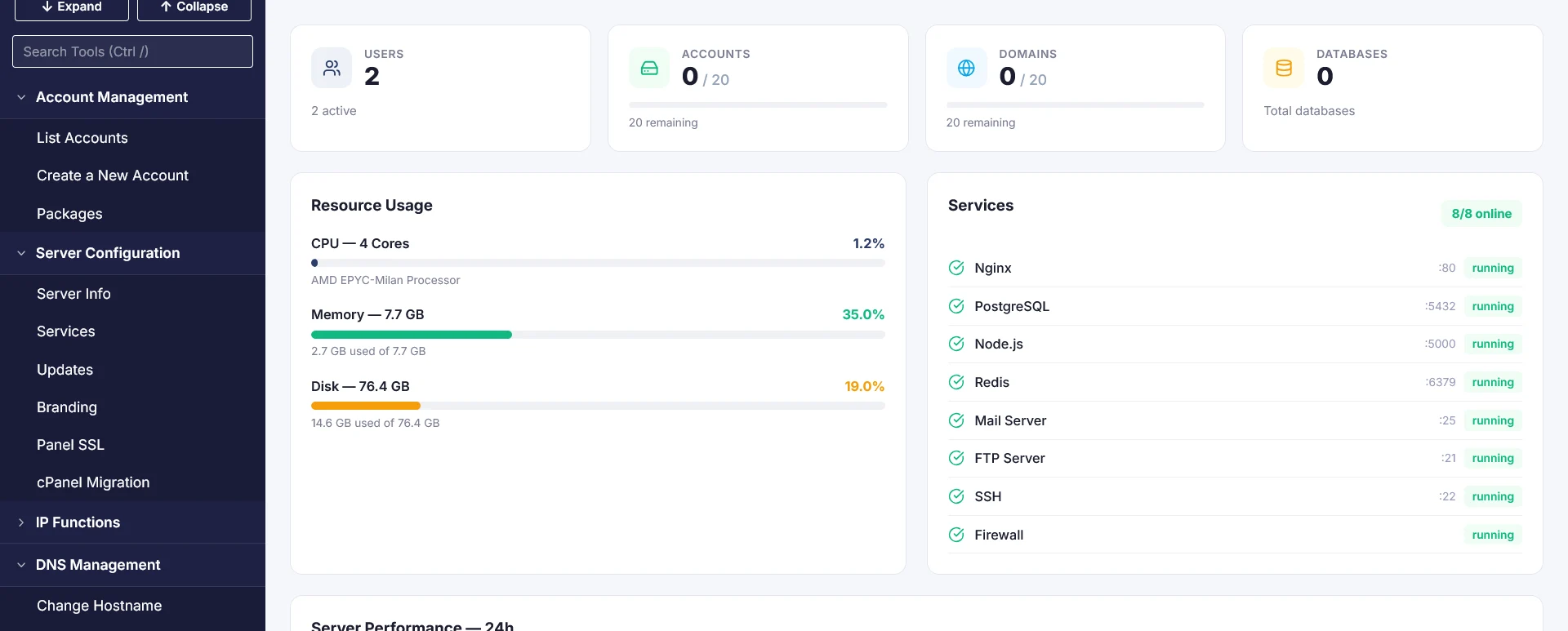
A control panel for Ubuntu VPS to manage websites, customer accounts, email, and backups in one place.
Starter · THB 250/month · Up to 20 accounts
Starter · THB 299/month · Up to 20 accounts
Prices cover the license per server only. VPS, installation, migration, and off-server backup storage are subject to the agreed service scope.
Manage domains, databases, SSL, and email accounts through the control panel.
Separate Admin, Reseller, and User accounts, with packages and quotas for each account.
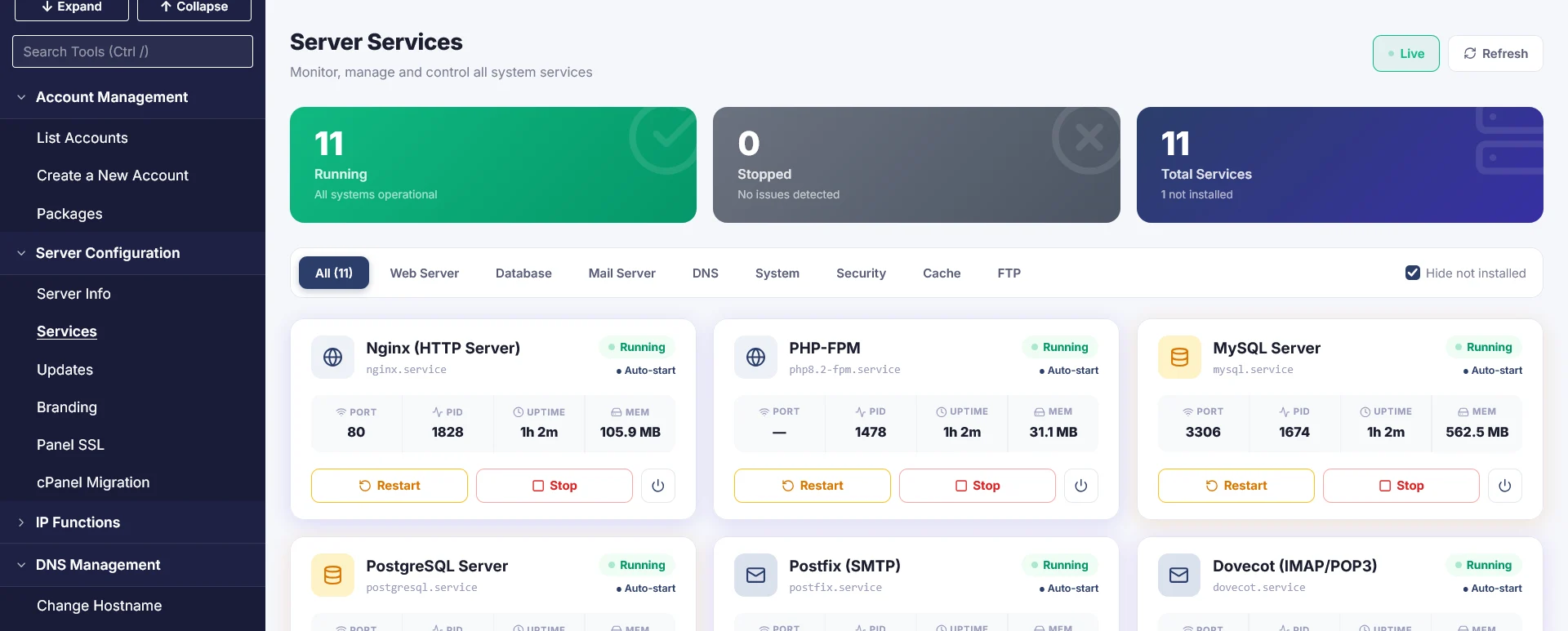
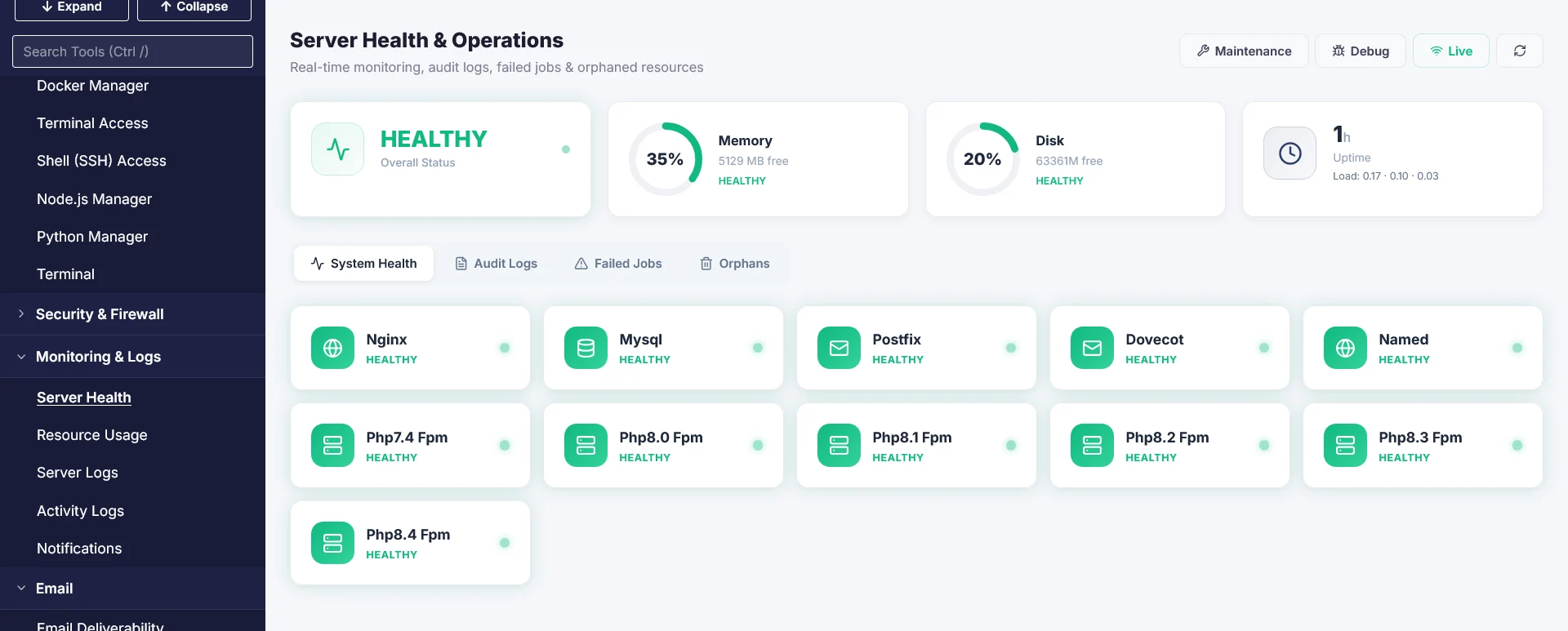
Schedule backups and check server service status from the Admin dashboard.
| Plan | Maximum accounts | Standard / month | Our customers / month | Standard / year | Our customers / year |
|---|---|---|---|---|---|
| Starter | 20 | 299 | 250 | 3,588 | 3,000 |
| Growth | 50 | 569 | 500 | 6,828 | 6,000 |
| Business | 100 | 799 | 750 | 9,588 | 9,000 |
| Enterprise | 500 | 1,249 | 1,000 | 14,988 | 12,000 |
Provide your customer type and VPS details through a ticket in your client area, or contact our team by email or phone. We will check server readiness and explain the activation steps.
Create separate customer accounts, choose PHP versions per website, and let customers manage their email and domains. Reuse packages when adding new customers.
Set packages and quotas in Admin, let resellers create accounts within their permissions, and use the WHMCS Server Module for account creation and SSO.
Install WordPress through the app installer, manage Node.js with PM2, use Git Deploy for supported workloads, and check services in Admin.
Separate Admin, Reseller, and User roles; create hosting packages; set per-account CPU/RAM limits with cgroups and separate PHP-FPM pools.
ModSecurity WAF with OWASP rules, Fail2Ban, malware scanning and quarantine, and incident visibility through the panel.
Nginx and PHP-FPM with FastCGI Cache, Redis, OPcache, and Brotli depending on configuration. Select PHP versions for each website.
Manage DNS, Let’s Encrypt, databases, files, and scheduled tasks, with Webmail, SMTP/IMAP, and tools for SPF, DKIM, and DMARC.
Schedule backups of website files, databases, email, and DNS to off-server destinations such as S3-compatible storage or Hetzner Storage Box.
Import full account backups or migrate over SSH following the documentation. Test websites, databases, email, and DNS before switching.
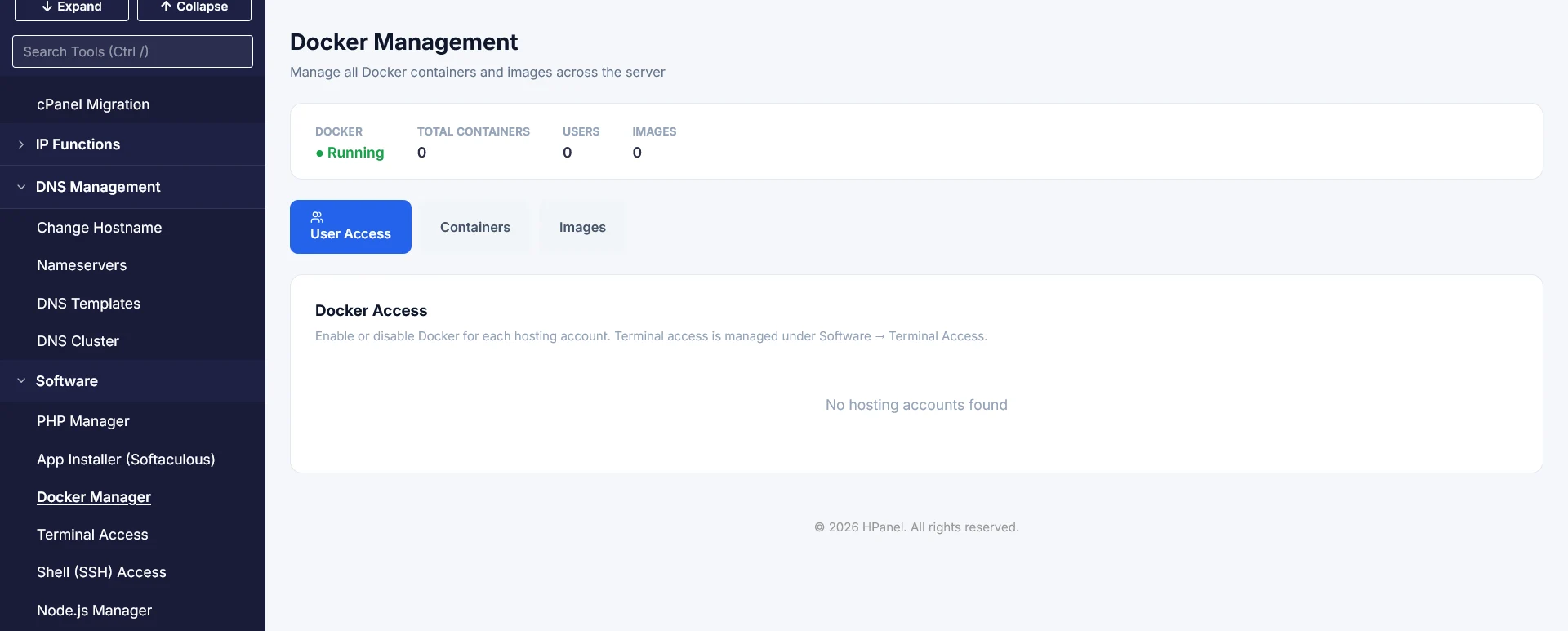
Manage Node.js and Python applications, with Docker, Git Deploy, and Web Terminal support as documented by the product.
The WHMCS Server Module supports hosting account creation, suspension, and SSO. License provisioning uses the Partner Portal or Partner API according to the provider integration.
If you already use DirectAdmin, cPanel, or Plesk, compare routine tasks such as account creation, resource limits, WAF management, and recovery. This table summarizes the HPanel comparison page and relevant vendor documentation.
| What to compare | HPanel | DirectAdmin | cPanel & WHM | Plesk |
|---|---|---|---|---|
| Licensing & Quotas | Per server, with plans based on account count | Plans based on account and domain quotas | Tiers based on account count and server type | Editions based on domain count and required features |
| Resource Isolation | Per-account cgroups and PHP-FPM pools | Consider system configuration or CloudLinux for your workload | Consider CloudLinux for the relevant per-account limits | Check system settings and extensions for the selected edition |
| WAF & Incident Visibility | ModSecurity, Fail2Ban, and malware scanning with a dashboard | ModSecurity and Brute Force Monitor depending on configuration | Compare existing ModSecurity settings and malware tools | ModSecurity depends on platform and configuration; check required extensions |
| Web & Caching | Nginx, PHP-FPM, FastCGI Cache, and Redis | Select a web server and configure Nginx or Redis for your stack | Compare the Apache or additional stack in use; Node.js and Git tools are available | Nginx/Apache options depend on the system and configuration |
| Backups & Migration | Scheduled off-server backups and documented cPanel backup imports | Check existing backup and recovery methods and migration formats | Check Full Backup, email, DNS, and scheduled task compatibility | Check Backup Manager, source operating system, and migration paths |
| Provider Workflows | Admin, Reseller, and User roles with packages and a WHMCS Server Module | Compare reseller packaging and permissions | Compare existing WHM, reseller, WHMCS, and module workflows | Check reseller permissions by edition and configuration |
| Workload Fit | Fresh Ubuntu servers needing multiple accounts and centralized policies | Teams with established DirectAdmin workflows adapting their stack | Teams with existing WHM accounts, modules, and processes should test imports before switching | Teams using Windows or edition-specific extensions should check compatibility before migration |
The comparison was prepared by HPanel. Features and costs depend on versions, configurations, and additional services. Assess performance and migration time using real websites.
Use a fresh Ubuntu 22.04 or 24.04 LTS installation on x86_64 (AMD64), with a public IPv4 address and root access. IPv6 is optional. No other control panel should be installed.
| Resource | Minimum | Recommended |
|---|---|---|
| CPU | 1 core | 2 cores or more |
| RAM | 2 GB | 4GB or more |
| Disk | 20 GB | 50GB SSD or more |
| Network | 100 Mbps | 1 Gbps |
Check web ports 80/443, SSH 22, HPanel ports 2052–2059, outbound HTTPS for licensing and updates, and email ports for the services used (25, 587, 993, and 110 as documented by the vendor). Production sizing depends on websites, email, and workload.
The vendor specifies a fresh Ubuntu 22.04 or 24.04 LTS installation on x86_64, public IPv4, and at least 2GB RAM (4GB or more recommended). View specifications and installation requirements
Contact the team through a ticket to assess a new server and migration before activating HPanel. The vendor requires a freshly prepared server without another control panel installed.
The trial covers the HPanel Starter license for the period applicable to your customer group. VPS fees follow your chosen plan. Installation, migration, and off-server backup storage depend on the agreed service scope.